


LibreOffice tips and tricks
September 2, 2026
  • Read Ecopy
  • Circulation
  • Advertise
  • Careers
  • About Us
  • Contact Us
Android AppiPhone AppArattai
Organiser
  • ‌
  • Bharat
    • Assam
    • Bihar
    • Chhattisgarh
    • Jharkhand
    • Maharashtra
    • View All States
  • World
    • Asia
    • Europe
    • North America
    • South America
    • Africa
    • Australia
  • Editorial
  • International
  • Opinion
  • RSS @ 100
  • More
    • Op Sindoor
    • Analysis
    • Sports
    • Defence
    • Politics
    • Business
    • Economy
    • Culture
    • Special Report
    • Sci & Tech
    • Entertainment
    • G20
    • Azadi Ka Amrit Mahotsav
    • Vocal4Local
    • Web Stories
    • Education
    • Employment
    • Books
    • Interviews
    • Travel
    • Law
    • Health
    • Obituary
  • Subscribe
    • Subscribe Print Edition
    • Subscribe Ecopy
    • Read Ecopy
  • ‌
  • Bharat
    • Assam
    • Bihar
    • Chhattisgarh
    • Jharkhand
    • Maharashtra
    • View All States
  • World
    • Asia
    • Europe
    • North America
    • South America
    • Africa
    • Australia
  • Editorial
  • International
  • Opinion
  • RSS @ 100
  • More
    • Op Sindoor
    • Analysis
    • Sports
    • Defence
    • Politics
    • Business
    • Economy
    • Culture
    • Special Report
    • Sci & Tech
    • Entertainment
    • G20
    • Azadi Ka Amrit Mahotsav
    • Vocal4Local
    • Web Stories
    • Education
    • Employment
    • Books
    • Interviews
    • Travel
    • Law
    • Health
    • Obituary
  • Subscribe
    • Subscribe Print Edition
    • Subscribe Ecopy
    • Read Ecopy
Organiser
  • Home
  • Bharat
  • World
  • Operation Sindoor
  • Editorial
  • Analysis
  • Opinion
  • Culture
  • Defence
  • International Edition
  • RSS @ 100
  • Magazine
  • Read Ecopy
Home Bharat

LibreOffice tips and tricks

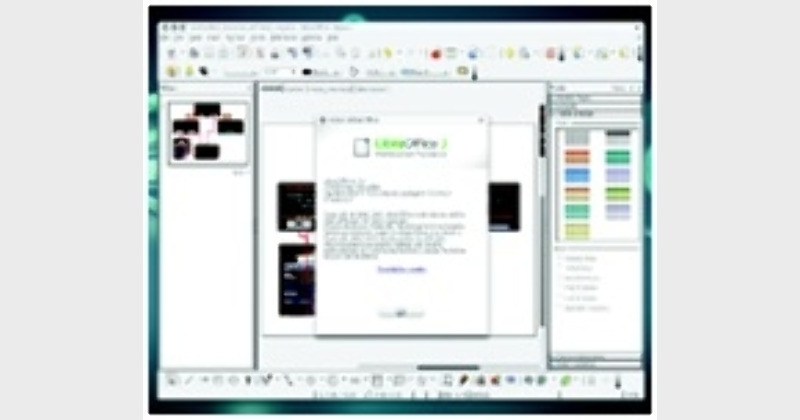
LibreOffice has now become one of the most popular Office software for people who are looking for an alternative to Microsoft office. Here are few handy tips and tricks that you can use with LibreOffice. While these tips will not make you a better writer, they will surely make the process of writing in one form or another a lot easier.

Archive ManagerArchive Manager
Apr 20, 2013, 12:26 pm IST
inBharat
Follow on Google News
Facebook
Twitter
WhatsAppTelegramEmail

Anoop Verma

9LibreOffice has now become one of the most popular Office software for people who are looking for an alternative to Microsoft office. Here are few handy tips and tricks that you can use with LibreOffice. While these tips will not make you a better writer, they will surely make the process of writing in one form or another a lot easier.

WHEN it comes to Office Software, Microsoft Office is the software of choice. But the reign of Microsoft may not last forever, as many new power-packed Office Programmes have now become available.  The best thing about these Office Programmes is that they are free. In fact, if users  realises how good these free Office Software are, they would be amazed at what all they are missing.
LibreOffice has now become one of the most popular office software for people who are looking for an alternative to Microsoft office. Here are few handy tips and tricks that you can use with LibreOffice. While these tips will not make you a better writer, they will surely make the process of writing in one form or another a lot easier.

Improve the speed of LibreOffice

For improving the speed you can use the option of disabling Java. Go to Tools, Options and select the Java entry on the left. Here you can uncheck the option to ‘Use a Java runtime environment’ and restart the software. But you have to keep in mind that change can affect databases and some of the wizards, but is easily re-enabled if you run into problems.

Easy way to create hyperlinks

At times we need to incorporate hyperlinks in the articles that we are writing. This can prove to be quite cumbersome, as you may have to type the text, click on the Hyperlink button, enter the URL, click Apply, and click Close. This task can become much easier if you use the Hyperlink Bar. To enable this, click View and then go to Toolbars. Here you can select Hyperlink Bar. This will open a new toolbar that has two simple text areas. The first (to the far left) is where you enter the text for the hyperlink. The second area is where you enter the URL. Once you’ve entered the URL, press Enter and the link will appear to the right of the current cursor position.

Make use of the thesaurus

The LibreOffice software comes with a handy Thesaurus. In order to open this tool, you need to highlight the word and then hit Ctrl + F7. The LibreOffice Thesaurus will open with suggestions for the word. If you are using a window manager or have created a custom shortcut that uses Ctrl + F7, you can just go to Tools and then to Language and then Thesaurus.

Learn about the keyboard shortcuts

LibreOffice comes with a whole range of shortcuts. All of us know about the Ctrl+A, Ctrl+V and Ctrl+P shortcuts. Other than this there is a huge list. In order to learn about this list, you have to click Tools go to Customise and then click on the Keyboard Tab. Here you will have the opportunity to scroll through the entire list of pre-configured keyboard shortcuts.

Protect your templates

There exists a great system of using templates in LibreOffice. You can create a collection of them and house them in a shared repository. But when you create them, it’s a good idea to make them read-only and to password protect them. The last thing you want to do is work hard on a template only to have someone overwrite it, causing you to go back to the drawing board.

Perform quick calculations

Normally we do our calculations on spreadsheets. But LibreOffice writer too has a resource for calculations. The formula toolbar does not reside permanently in the toolbar section of LibreOffice. All you need to do is view the toolbar, run your calculation, hit Enter and the calculation will appear at your cursor.
?


Share
Tweet
SendShareSend
✮ Subscribe Organiser YouTube Channel. ✮
✮ Join Organiser's WhatsApp channel for Nationalist views beyond the news. ✮
Previous News

Harvard University studying Prayag Maha Kumbha

Next News

Grand China Strategy is the remedy

Related News

Prime Minister Narendra Modi and Uzbek President Shavkat Mirziyoyev

India-Uzbekistan Relations: PM Modi announces initiatives to deepen ties, from Buddhist heritage to Hindi scholarships

Representative Image

UP horticulture export website launched: Farmers can check global markets, export rules and subsidies

New York City Mayor Zohran Mamdani

“Would cause profound pain,” Port Authority police demand NYC Mayor Mamdani stay away from 9/11 anniversary ceremony

On October 23, 2024, students disrupted an ABVP Diwali celebration at Jamia Millia Islamia by stomping on Rangolis and extinguishing diyas

Hindu Traditions Under Siege: Nine incidents of Islamist aggression against festivals and sacred practices in Bharat

Nalanda, a hub of religious teachings, is in ruins yet attracts visitors from across the world

Bharatbodh: Rediscovering Bharat’s civilisational consciousness

Bhagwan Jagannath Ji’s Anavasara tradition in Odisha offers timeless lessons on illness, rest, recovery and the importance of renewal

From Illness to Renewal: The ancient wisdom behind Bhagwan Jagannath Ji’s Anavasara before Rath Yatra

Load More

Latest News

Prime Minister Narendra Modi and Uzbek President Shavkat Mirziyoyev

India-Uzbekistan Relations: PM Modi announces initiatives to deepen ties, from Buddhist heritage to Hindi scholarships

Representative Image

UP horticulture export website launched: Farmers can check global markets, export rules and subsidies

New York City Mayor Zohran Mamdani

“Would cause profound pain,” Port Authority police demand NYC Mayor Mamdani stay away from 9/11 anniversary ceremony

On October 23, 2024, students disrupted an ABVP Diwali celebration at Jamia Millia Islamia by stomping on Rangolis and extinguishing diyas

Hindu Traditions Under Siege: Nine incidents of Islamist aggression against festivals and sacred practices in Bharat

Nalanda, a hub of religious teachings, is in ruins yet attracts visitors from across the world

Bharatbodh: Rediscovering Bharat’s civilisational consciousness

Bhagwan Jagannath Ji’s Anavasara tradition in Odisha offers timeless lessons on illness, rest, recovery and the importance of renewal

From Illness to Renewal: The ancient wisdom behind Bhagwan Jagannath Ji’s Anavasara before Rath Yatra

VHP Central Joint Secretary Vijay Shankar Tiwari

“Sharia cannot be placed above Constitution; citizenship also comes with duties”: VHP’s Vijay Shankar Tiwari

Vande Mataram's 150th anniversary is being celebrated across the country

Vande Mataram: Symbol of national identity and integrity

Mission Zero: Depalpur clears 1,250 tonnes of legacy waste, becomes first Swachh Shehar Jodi city

Mission Zero: Madhya Pradesh’s Depalpur clears 1,250 tonnes of legacy waste, becomes first Swachh Shehar Jodi city

RSS Sah Sarkaryawah Dr Krishna Gopal ji addressing the gathering

RSS is an organisation of those who believe in Bharat’s fundamental philosophy: Dr Krishna Gopal

Load More
  • Privacy
  • Terms
  • Cookie Policy
  • Refund and Cancellation
  • Delivery and Shipping

© Bharat Prakashan (Delhi) Limited.
Tech-enabled by Ananthapuri Technologies

  • Home
  • Search Organiser
  • Bharat
    • Assam
    • Bihar
    • Chhattisgarh
    • Jharkhand
    • Maharashtra
    • View All States
  • World
    • Asia
    • Africa
    • North America
    • South America
    • Europe
    • Australia
  • Editorial
  • Operation Sindoor
  • Opinion
  • Analysis
  • Defence
  • Culture
  • Sports
  • Business
  • RSS @ 100
  • Entertainment
  • More ..
    • Sci & Tech
    • Vocal4Local
    • Special Report
    • Education
    • Employment
    • Books
    • Interviews
    • Travel
    • Health
    • Politics
    • Law
    • Economy
    • Obituary
  • Subscribe Magazine
  • Read Ecopy
  • Advertise
  • Circulation
  • Careers
  • About Us
  • Contact Us
  • Policies & Terms
    • Privacy Policy
    • Cookie Policy
    • Refund and Cancellation
    • Terms of Use

© Bharat Prakashan (Delhi) Limited.
Tech-enabled by Ananthapuri Technologies