LibreOffice tips and tricks
December 13, 2025
  • Read Ecopy
  • Circulation
  • Advertise
  • Careers
  • About Us
  • Contact Us
Android AppiPhone AppArattai
Organiser
  • ‌
  • Bharat
    • Assam
    • Bihar
    • Chhattisgarh
    • Jharkhand
    • Maharashtra
    • View All States
  • World
    • Asia
    • Europe
    • North America
    • South America
    • Africa
    • Australia
  • Editorial
  • International
  • Opinion
  • RSS @ 100
  • More
    • Op Sindoor
    • Analysis
    • Sports
    • Defence
    • Politics
    • Business
    • Economy
    • Culture
    • Special Report
    • Sci & Tech
    • Entertainment
    • G20
    • Azadi Ka Amrit Mahotsav
    • Vocal4Local
    • Web Stories
    • Education
    • Employment
    • Books
    • Interviews
    • Travel
    • Law
    • Health
    • Obituary
  • Subscribe
    • Subscribe Print Edition
    • Subscribe Ecopy
    • Read Ecopy
  • ‌
  • Bharat
    • Assam
    • Bihar
    • Chhattisgarh
    • Jharkhand
    • Maharashtra
    • View All States
  • World
    • Asia
    • Europe
    • North America
    • South America
    • Africa
    • Australia
  • Editorial
  • International
  • Opinion
  • RSS @ 100
  • More
    • Op Sindoor
    • Analysis
    • Sports
    • Defence
    • Politics
    • Business
    • Economy
    • Culture
    • Special Report
    • Sci & Tech
    • Entertainment
    • G20
    • Azadi Ka Amrit Mahotsav
    • Vocal4Local
    • Web Stories
    • Education
    • Employment
    • Books
    • Interviews
    • Travel
    • Law
    • Health
    • Obituary
  • Subscribe
    • Subscribe Print Edition
    • Subscribe Ecopy
    • Read Ecopy
Organiser
  • Home
  • Bharat
  • World
  • Operation Sindoor
  • Editorial
  • Analysis
  • Opinion
  • Culture
  • Defence
  • International Edition
  • RSS @ 100
  • Magazine
  • Read Ecopy
Home Bharat

LibreOffice tips and tricks

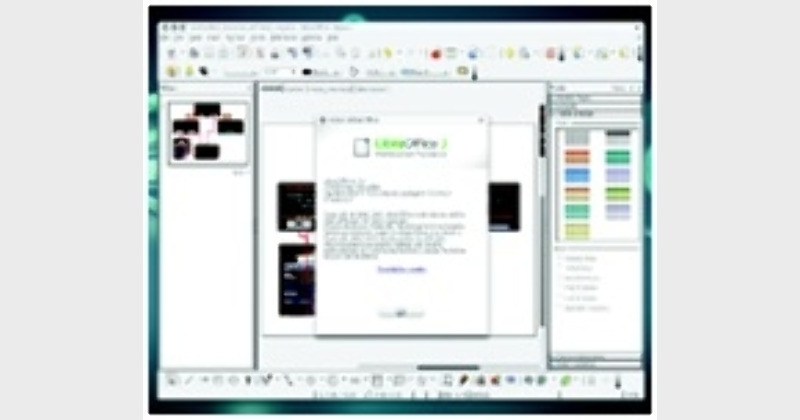
LibreOffice has now become one of the most popular Office software for people who are looking for an alternative to Microsoft office. Here are few handy tips and tricks that you can use with LibreOffice. While these tips will not make you a better writer, they will surely make the process of writing in one form or another a lot easier.

Archive ManagerArchive Manager
Apr 20, 2013, 12:26 pm IST
in Bharat
Follow on Google News
FacebookTwitterWhatsAppTelegramEmail

Anoop Verma

9LibreOffice has now become one of the most popular Office software for people who are looking for an alternative to Microsoft office. Here are few handy tips and tricks that you can use with LibreOffice. While these tips will not make you a better writer, they will surely make the process of writing in one form or another a lot easier.

WHEN it comes to Office Software, Microsoft Office is the software of choice. But the reign of Microsoft may not last forever, as many new power-packed Office Programmes have now become available.  The best thing about these Office Programmes is that they are free. In fact, if users  realises how good these free Office Software are, they would be amazed at what all they are missing.
LibreOffice has now become one of the most popular office software for people who are looking for an alternative to Microsoft office. Here are few handy tips and tricks that you can use with LibreOffice. While these tips will not make you a better writer, they will surely make the process of writing in one form or another a lot easier.

Improve the speed of LibreOffice

For improving the speed you can use the option of disabling Java. Go to Tools, Options and select the Java entry on the left. Here you can uncheck the option to ‘Use a Java runtime environment’ and restart the software. But you have to keep in mind that change can affect databases and some of the wizards, but is easily re-enabled if you run into problems.

Easy way to create hyperlinks

At times we need to incorporate hyperlinks in the articles that we are writing. This can prove to be quite cumbersome, as you may have to type the text, click on the Hyperlink button, enter the URL, click Apply, and click Close. This task can become much easier if you use the Hyperlink Bar. To enable this, click View and then go to Toolbars. Here you can select Hyperlink Bar. This will open a new toolbar that has two simple text areas. The first (to the far left) is where you enter the text for the hyperlink. The second area is where you enter the URL. Once you’ve entered the URL, press Enter and the link will appear to the right of the current cursor position.

Make use of the thesaurus

The LibreOffice software comes with a handy Thesaurus. In order to open this tool, you need to highlight the word and then hit Ctrl + F7. The LibreOffice Thesaurus will open with suggestions for the word. If you are using a window manager or have created a custom shortcut that uses Ctrl + F7, you can just go to Tools and then to Language and then Thesaurus.

Learn about the keyboard shortcuts

LibreOffice comes with a whole range of shortcuts. All of us know about the Ctrl+A, Ctrl+V and Ctrl+P shortcuts. Other than this there is a huge list. In order to learn about this list, you have to click Tools go to Customise and then click on the Keyboard Tab. Here you will have the opportunity to scroll through the entire list of pre-configured keyboard shortcuts.

Protect your templates

There exists a great system of using templates in LibreOffice. You can create a collection of them and house them in a shared repository. But when you create them, it’s a good idea to make them read-only and to password protect them. The last thing you want to do is work hard on a template only to have someone overwrite it, causing you to go back to the drawing board.

Perform quick calculations

Normally we do our calculations on spreadsheets. But LibreOffice writer too has a resource for calculations. The formula toolbar does not reside permanently in the toolbar section of LibreOffice. All you need to do is view the toolbar, run your calculation, hit Enter and the calculation will appear at your cursor.
?

ShareTweetSendShareSend
✮ Subscribe Organiser YouTube Channel. ✮
✮ Join Organiser's WhatsApp channel for Nationalist views beyond the news. ✮
Previous News

Harvard University studying Prayag Maha Kumbha

Next News

Grand China Strategy is the remedy

Related News

Prime Minister Narendra Modi and US President Donald Trump

PM Modi-President Trump phone call: Underscores strategic pragmatism by India and geopolitical rectification by the US

RSS Sarsanghchalak Dr. Mohan Bhagwat unveiled the grand statue of Swatantrayaveer Savarkar and inaugurated the ‘Veer Savarkar Prerna Park’ in the Andaman and Nicobar Islands.

Legacy of Veer Savarkar calls for unity, not division: RSS Sarsanghchalak Dr Mohan Bhagwat at Andaman

Representative Image

India and Greece holds maiden Maritime Security Dialogue; Explores deeper cooperation across key sectors

First digital Census in 2027: Cabinet clears Rs 11,718-crore plan, caste enumeration included

Representative Image of Maoists

Chhattisgarh: 10 Maoists carrying cumulative reward of Rs 33 lakhs surrender in Sukma

Union Home Minister Amit Shah

Amit Shah calls Andamans ‘sacred land of sacrifice’ as Port Blair marks 115 years of Savarkar’s ‘Sagara Pran Talmalala’

Load More

Comments

The comments posted here/below/in the given space are not on behalf of Organiser. The person posting the comment will be in sole ownership of its responsibility. According to the central government's IT rules, obscene or offensive statement made against a person, religion, community or nation is a punishable offense, and legal action would be taken against people who indulge in such activities.

Latest News

Prime Minister Narendra Modi and US President Donald Trump

PM Modi-President Trump phone call: Underscores strategic pragmatism by India and geopolitical rectification by the US

RSS Sarsanghchalak Dr. Mohan Bhagwat unveiled the grand statue of Swatantrayaveer Savarkar and inaugurated the ‘Veer Savarkar Prerna Park’ in the Andaman and Nicobar Islands.

Legacy of Veer Savarkar calls for unity, not division: RSS Sarsanghchalak Dr Mohan Bhagwat at Andaman

Representative Image

India and Greece holds maiden Maritime Security Dialogue; Explores deeper cooperation across key sectors

First digital Census in 2027: Cabinet clears Rs 11,718-crore plan, caste enumeration included

Representative Image of Maoists

Chhattisgarh: 10 Maoists carrying cumulative reward of Rs 33 lakhs surrender in Sukma

Union Home Minister Amit Shah

Amit Shah calls Andamans ‘sacred land of sacrifice’ as Port Blair marks 115 years of Savarkar’s ‘Sagara Pran Talmalala’

Accused in the Zubeen Garg murder case

Zubeen Garg Murder Case: Assam police SIT submits 2500 pages chargesheet; Invokes murder charges against 4 accused

Lieutenant Governor Manoj Sinha handed over appointment letters to 41 Next of Kins (NoKs) of victims of terrorism

J&K: LG hands over compassionate appointment letters to next of kins of terror victim families

Former Pakistan ISI Chief Faiz Hameed

Authoritarian rule of Pakistan military continues: Former ISI Chief Faiz Hameed sentenced to 14 years imprisonment

Jal Shakti Minister C.R. Patil Launches Sujalam Bharat App

Jal Shakti Minister launches Sujalam Bharat App to transform digital governance of rural water supply across Bharat

Load More
  • Privacy
  • Terms
  • Cookie Policy
  • Refund and Cancellation
  • Delivery and Shipping

© Bharat Prakashan (Delhi) Limited.
Tech-enabled by Ananthapuri Technologies

  • Home
  • Search Organiser
  • Bharat
    • Assam
    • Bihar
    • Chhattisgarh
    • Jharkhand
    • Maharashtra
    • View All States
  • World
    • Asia
    • Africa
    • North America
    • South America
    • Europe
    • Australia
  • Editorial
  • Operation Sindoor
  • Opinion
  • Analysis
  • Defence
  • Culture
  • Sports
  • Business
  • RSS @ 100
  • Entertainment
  • More ..
    • Sci & Tech
    • Vocal4Local
    • Special Report
    • Education
    • Employment
    • Books
    • Interviews
    • Travel
    • Health
    • Politics
    • Law
    • Economy
    • Obituary
  • Subscribe Magazine
  • Read Ecopy
  • Advertise
  • Circulation
  • Careers
  • About Us
  • Contact Us
  • Policies & Terms
    • Privacy Policy
    • Cookie Policy
    • Refund and Cancellation
    • Terms of Use

© Bharat Prakashan (Delhi) Limited.
Tech-enabled by Ananthapuri Technologies