
Speed up your PC with more RAM
December 13, 2025
  • Read Ecopy
  • Circulation
  • Advertise
  • Careers
  • About Us
  • Contact Us
Android AppiPhone AppArattai
Organiser
  • ‌
  • Bharat
    • Assam
    • Bihar
    • Chhattisgarh
    • Jharkhand
    • Maharashtra
    • View All States
  • World
    • Asia
    • Europe
    • North America
    • South America
    • Africa
    • Australia
  • Editorial
  • International
  • Opinion
  • RSS @ 100
  • More
    • Op Sindoor
    • Analysis
    • Sports
    • Defence
    • Politics
    • Business
    • Economy
    • Culture
    • Special Report
    • Sci & Tech
    • Entertainment
    • G20
    • Azadi Ka Amrit Mahotsav
    • Vocal4Local
    • Web Stories
    • Education
    • Employment
    • Books
    • Interviews
    • Travel
    • Law
    • Health
    • Obituary
  • Subscribe
    • Subscribe Print Edition
    • Subscribe Ecopy
    • Read Ecopy
  • ‌
  • Bharat
    • Assam
    • Bihar
    • Chhattisgarh
    • Jharkhand
    • Maharashtra
    • View All States
  • World
    • Asia
    • Europe
    • North America
    • South America
    • Africa
    • Australia
  • Editorial
  • International
  • Opinion
  • RSS @ 100
  • More
    • Op Sindoor
    • Analysis
    • Sports
    • Defence
    • Politics
    • Business
    • Economy
    • Culture
    • Special Report
    • Sci & Tech
    • Entertainment
    • G20
    • Azadi Ka Amrit Mahotsav
    • Vocal4Local
    • Web Stories
    • Education
    • Employment
    • Books
    • Interviews
    • Travel
    • Law
    • Health
    • Obituary
  • Subscribe
    • Subscribe Print Edition
    • Subscribe Ecopy
    • Read Ecopy
Organiser
  • Home
  • Bharat
  • World
  • Operation Sindoor
  • Editorial
  • Analysis
  • Opinion
  • Culture
  • Defence
  • International Edition
  • RSS @ 100
  • Magazine
  • Read Ecopy
Home Bharat

Speed up your PC with more RAM

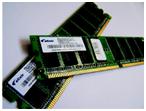
IN your PC or laptop, the hard drive is like a giant drawer or vault, where you store your files and folders. However, you do all your actual work at the RAM, which is the Random Access Memory. If the RAM is not large enough to accommodate all your work, then your system will slow down. A solution to this problem is that you should install more RAM in your system.

Archive ManagerArchive Manager
Feb 23, 2013, 11:48 am IST
in Bharat
Follow on Google News
FacebookTwitterWhatsAppTelegramEmail


$img_titleAnoop Verma

IN your PC or laptop, the hard drive is like a giant drawer or vault, where you store your files and folders. However, you do all your actual work at the RAM, which is the Random Access Memory. If the RAM is not large enough to accommodate all your work, then your system will slow down. A solution to this problem is that you should install more RAM in your system. Your system should have RAM of at least 2GB. But for best results, you should have 4GB of RAM.

Getting more RAM
The installation of extra RAM is not a simple task. You have to decide the amount of extra RAM that you need and you also need to know the type of RAM that your system will accept. Most current desktop PCs use DDR3 memory, but some older systems use DDR2. The situation is similar with laptops. Check your manufacturer’s manual to find out which type of memory you need.

You can also find the RAM related details in your PC or laptop by going to the System Information Dialog Box. You can also go to the Control Panel for the same information. To open System Information, click Start, click All Programs, click Accessories, click System Tools, and then click System Information. In the left pane, select System Summary. The Installed Physical Memory (RAM) entry in the list tells you how much and what type of RAM your computer has.

In order to determine the maximum amount of RAM your computer can handle along with the speed, it is better that consult your PC or laptop’s owner manual. This will tell you about the number of slots (the place where you insert the RAM) your system has. It will also tell you about how much RAM your system can take and what is the maximum RAM your system can use. In general laptop motherboards support no more than two memory modules, although a few have three sockets.

Installation of RAM
While installing RAM, the first thing you need to do is ensure that your laptop or PC is unplugged from the power socket. Switch off the device and open the compartment where your RAM is installed. You might have to remove some screws to open the compartment. Laptop parts are generally very delicate and very small. You may need to use a screwdriver with a special head to remove the screws from the memory compartment.

Once the compartment is open, you will easily be able to locate the RAM cards that are already installed. You will also be able to locate the vacant slot or slots where you can install the new RAM.

You need to line up the notches of the new RAM card, and apply firm pressure to attach. To ensure you’re inserting the new RAM modules the right way round, align the key notch with the corresponding ridge in the memory socket. Once you are sure that the new RAM is firmly in place, you can close the latch at either end. If you have clips, they should snap back in place. After this you can reconnect all the cables, which you had removed for inserting the RAM.

You can leave the casing open until you are sure that the new RAM has been accepted, and your laptop or PC is working nicely.

Checking your computer
Turn on your computer and go to System Information Panel. Here you should see how much RAM you now have. If you initially had 1 GB of RAM and you have added 1 GB more, then now your system should show 2 GB. Hopefully, now your system will work with the kind of fast speed that you would like to have.


ShareTweetSendShareSend
✮ Subscribe Organiser YouTube Channel. ✮
✮ Join Organiser's WhatsApp channel for Nationalist views beyond the news. ✮
Previous News

Rising tide of Modi?s credibility

Next News

Poor writing can cost you a job opportunity

Related News

Prime Minister Narendra Modi and US President Donald Trump

PM Modi-President Trump phone call: Underscores strategic pragmatism by India and geopolitical rectification by the US

RSS Sarsanghchalak Dr. Mohan Bhagwat unveiled the grand statue of Swatantrayaveer Savarkar and inaugurated the ‘Veer Savarkar Prerna Park’ in the Andaman and Nicobar Islands.

Legacy of Veer Savarkar calls for unity, not division: RSS Sarsanghchalak Dr Mohan Bhagwat at Andaman

Representative Image

India and Greece holds maiden Maritime Security Dialogue; Explores deeper cooperation across key sectors

First digital Census in 2027: Cabinet clears Rs 11,718-crore plan, caste enumeration included

Representative Image of Maoists

Chhattisgarh: 10 Maoists carrying cumulative reward of Rs 33 lakhs surrender in Sukma

Union Home Minister Amit Shah

Amit Shah calls Andamans ‘sacred land of sacrifice’ as Port Blair marks 115 years of Savarkar’s ‘Sagara Pran Talmalala’

Load More

Comments

The comments posted here/below/in the given space are not on behalf of Organiser. The person posting the comment will be in sole ownership of its responsibility. According to the central government's IT rules, obscene or offensive statement made against a person, religion, community or nation is a punishable offense, and legal action would be taken against people who indulge in such activities.

Latest News

Prime Minister Narendra Modi and US President Donald Trump

PM Modi-President Trump phone call: Underscores strategic pragmatism by India and geopolitical rectification by the US

RSS Sarsanghchalak Dr. Mohan Bhagwat unveiled the grand statue of Swatantrayaveer Savarkar and inaugurated the ‘Veer Savarkar Prerna Park’ in the Andaman and Nicobar Islands.

Legacy of Veer Savarkar calls for unity, not division: RSS Sarsanghchalak Dr Mohan Bhagwat at Andaman

Representative Image

India and Greece holds maiden Maritime Security Dialogue; Explores deeper cooperation across key sectors

First digital Census in 2027: Cabinet clears Rs 11,718-crore plan, caste enumeration included

Representative Image of Maoists

Chhattisgarh: 10 Maoists carrying cumulative reward of Rs 33 lakhs surrender in Sukma

Union Home Minister Amit Shah

Amit Shah calls Andamans ‘sacred land of sacrifice’ as Port Blair marks 115 years of Savarkar’s ‘Sagara Pran Talmalala’

Accused in the Zubeen Garg murder case

Zubeen Garg Murder Case: Assam police SIT submits 2500 pages chargesheet; Invokes murder charges against 4 accused

Lieutenant Governor Manoj Sinha handed over appointment letters to 41 Next of Kins (NoKs) of victims of terrorism

J&K: LG hands over compassionate appointment letters to next of kins of terror victim families

Former Pakistan ISI Chief Faiz Hameed

Authoritarian rule of Pakistan military continues: Former ISI Chief Faiz Hameed sentenced to 14 years imprisonment

Jal Shakti Minister C.R. Patil Launches Sujalam Bharat App

Jal Shakti Minister launches Sujalam Bharat App to transform digital governance of rural water supply across Bharat

Load More
  • Privacy
  • Terms
  • Cookie Policy
  • Refund and Cancellation
  • Delivery and Shipping

© Bharat Prakashan (Delhi) Limited.
Tech-enabled by Ananthapuri Technologies

  • Home
  • Search Organiser
  • Bharat
    • Assam
    • Bihar
    • Chhattisgarh
    • Jharkhand
    • Maharashtra
    • View All States
  • World
    • Asia
    • Africa
    • North America
    • South America
    • Europe
    • Australia
  • Editorial
  • Operation Sindoor
  • Opinion
  • Analysis
  • Defence
  • Culture
  • Sports
  • Business
  • RSS @ 100
  • Entertainment
  • More ..
    • Sci & Tech
    • Vocal4Local
    • Special Report
    • Education
    • Employment
    • Books
    • Interviews
    • Travel
    • Health
    • Politics
    • Law
    • Economy
    • Obituary
  • Subscribe Magazine
  • Read Ecopy
  • Advertise
  • Circulation
  • Careers
  • About Us
  • Contact Us
  • Policies & Terms
    • Privacy Policy
    • Cookie Policy
    • Refund and Cancellation
    • Terms of Use

© Bharat Prakashan (Delhi) Limited.
Tech-enabled by Ananthapuri Technologies