Create your own GIFfiles with GiftedMotion
December 8, 2025
  • Read Ecopy
  • Circulation
  • Advertise
  • Careers
  • About Us
  • Contact Us
Android AppiPhone AppArattai
Organiser
  • ‌
  • Bharat
    • Assam
    • Bihar
    • Chhattisgarh
    • Jharkhand
    • Maharashtra
    • View All States
  • World
    • Asia
    • Europe
    • North America
    • South America
    • Africa
    • Australia
  • Editorial
  • International
  • Opinion
  • RSS @ 100
  • More
    • Op Sindoor
    • Analysis
    • Sports
    • Defence
    • Politics
    • Business
    • Economy
    • Culture
    • Special Report
    • Sci & Tech
    • Entertainment
    • G20
    • Azadi Ka Amrit Mahotsav
    • Vocal4Local
    • Web Stories
    • Education
    • Employment
    • Books
    • Interviews
    • Travel
    • Law
    • Health
    • Obituary
  • Subscribe
    • Subscribe Print Edition
    • Subscribe Ecopy
    • Read Ecopy
  • ‌
  • Bharat
    • Assam
    • Bihar
    • Chhattisgarh
    • Jharkhand
    • Maharashtra
    • View All States
  • World
    • Asia
    • Europe
    • North America
    • South America
    • Africa
    • Australia
  • Editorial
  • International
  • Opinion
  • RSS @ 100
  • More
    • Op Sindoor
    • Analysis
    • Sports
    • Defence
    • Politics
    • Business
    • Economy
    • Culture
    • Special Report
    • Sci & Tech
    • Entertainment
    • G20
    • Azadi Ka Amrit Mahotsav
    • Vocal4Local
    • Web Stories
    • Education
    • Employment
    • Books
    • Interviews
    • Travel
    • Law
    • Health
    • Obituary
  • Subscribe
    • Subscribe Print Edition
    • Subscribe Ecopy
    • Read Ecopy
Organiser
  • Home
  • Bharat
  • World
  • Operation Sindoor
  • Editorial
  • Analysis
  • Opinion
  • Culture
  • Defence
  • International Edition
  • RSS @ 100
  • Magazine
  • Read Ecopy
Home General

Create your own GIFfiles with GiftedMotion

Archive ManagerArchive Manager
Oct 15, 2012, 12:00 am IST
in General
Follow on Google News
FacebookTwitterWhatsAppTelegramEmail

Anoop Verma

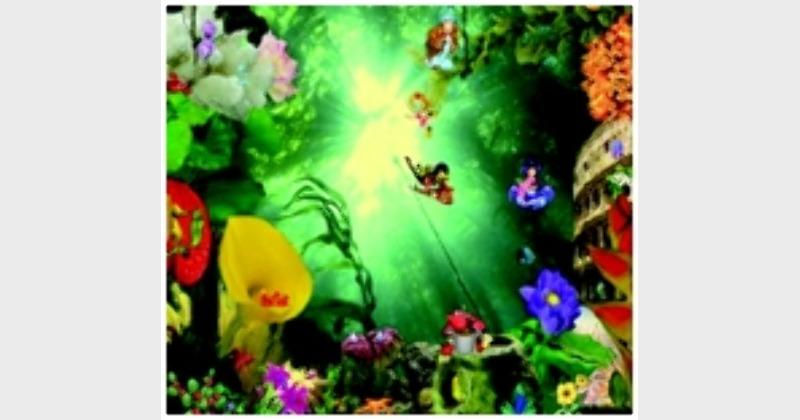
GIF images, the short animated images that we often come across on the Internet, can be pretty funny. If you have been enchanted by GIF images and have always wanted to create one, here is your chance to do so. With GiftedMotion, you can create a vibrant GIF image in no time and upload it on social networking sites, blogs and forums.
Basically GiftedMotion is a free programme that can be downloaded by pointing your browser at this link: http://www.onyxbits.de/giftedmotion. The download link for GiftedMotion is located at the bottom of the page. You can either download the programme, or start GiftedMotion directly from the website whenever you need to create a new GIF file.
The main advantages of GiftedMotion include the following:
 The programme is platform independent; it runs on Windows, Mac and Linux.
 There is multi language support.
 As the programme is under GPL, there are zero licensing costs.
 It is very easy to use.
 No installation required. Just put the jar file on your Desktop and start it. GiftedMotion will not bury itself into your operation system. Since GiftedMotion is small in size, you can even bookmark this page and come back and start it from here, whenever needed.
 Supports the following input formats: PNG, JPG / JPEG, BMP and GIF.
 Easy to adjust position of images within frames and size of the resulting image.
 The programme comes with a versatile preview function.
 There is ability to edit existing images.
How does it work?
When you open the file, you will be presented with a blank screen, where you can click on the Load Files Button. Through this button you can choose the images that you wish to animate. The programme supports all the popular image formats like— PNG, JPG, BMP, and GIF. You are allowed to select multiple images at once. The images get loaded into the main programme window.
The main programme window also serves as a preview screen for you to see all the images in the animated GIF in the left hand pane. At the bottom of the window there is the row of buttons for editing. A pair of green arrows, for up and down, allow you to change the sequence of the images in the animated GIF. The third icon will make a copy of a frame and the last button will remove a frame.
In order to start editing the frame setting, you have to select an image in the sequence editor. The frame settings can be edited by using the text boxes for Time(ms), Dispose, X Offset and Y Offset. The Time is in milliseconds and can be set to a different value for each image in the sequence.  You can specify the way you want the next frame to be painted in the animation. Press on the play button at the top, in order to preview the animation.
If you need to move an image around slightly to make the animation appear more smooth and seamless, you have to use the X and Y Offset. The entire animation can be resized by dragging the corners of the preview window. If you find everything in order, you can click on the Export Setting Buttons at the top.
A new Export Settings Window will open. Here you can specify things like transparency colour, the dithering quality, which is related to the smoothness of the animation, (the lower the dithering quality, the smother the animation), and the number of times you want the animation to repeat itself. If you choose ‘0’, the animation will repeat itself forever. But if you opt for ‘-1’ it will play only once, ‘1’ means that it will play twice, ‘2’ means it will play three times, and so on.
Once all the inputs are in and the animation is playing the way you would want it to in the preview panel, you can press the red record button. GiftedMotion is not only useful for creating a fresh animation, you can also use the system to load any other GIF file and edit it.
 

ShareTweetSendShareSend
✮ Subscribe Organiser YouTube Channel. ✮
✮ Join Organiser's WhatsApp channel for Nationalist views beyond the news. ✮
Previous News

Congress govt is negligent to people suffering from natural disasters

Next News

Vadra’s wealth, Congress in turmoilIs Sonia family getting its just desserts, finally?

Related News

(Left) Ukraine President Zelensky (Right)US President Donald Trump

“Little bit disappointed Zelensky hasn’t read peace proposal”: Trump signals frustration over Ukraine talks

(From Left To Right) Karnataka Deputy CM DK Shivkumar, Supreme Court Lawyer Kapil Sibal, BJP MLA Basanagouda Patil Yatnal

Karnataka: Government’s use of Kapil Sibal in DK Shivakumar case not officially authorised, documents reveal

Representative Image

A Partnership Forged in History: The enduring strength of India–Russia Relations

Representative Image

A Song that Stirred Freedom—Why is Vande Mataram questioned today?

Madhya Pradesh: 10 Maoists including KB division’s most wanted commander Kabir surrender in Balaghat

Representative Image

150 Years of Vande Mataram: Know all about the ban imposed by Nizam’s ban, students’ revolt

Load More

Comments

The comments posted here/below/in the given space are not on behalf of Organiser. The person posting the comment will be in sole ownership of its responsibility. According to the central government's IT rules, obscene or offensive statement made against a person, religion, community or nation is a punishable offense, and legal action would be taken against people who indulge in such activities.

Latest News

(Left) Ukraine President Zelensky (Right)US President Donald Trump

“Little bit disappointed Zelensky hasn’t read peace proposal”: Trump signals frustration over Ukraine talks

(From Left To Right) Karnataka Deputy CM DK Shivkumar, Supreme Court Lawyer Kapil Sibal, BJP MLA Basanagouda Patil Yatnal

Karnataka: Government’s use of Kapil Sibal in DK Shivakumar case not officially authorised, documents reveal

Representative Image

A Partnership Forged in History: The enduring strength of India–Russia Relations

Representative Image

A Song that Stirred Freedom—Why is Vande Mataram questioned today?

Madhya Pradesh: 10 Maoists including KB division’s most wanted commander Kabir surrender in Balaghat

Representative Image

150 Years of Vande Mataram: Know all about the ban imposed by Nizam’s ban, students’ revolt

Representative Image

Pakistan slipping into authoritarian rule, lawyers of the country warn

Representative Image

China-Japan face-off escalates across Indo-Pacific: An emerging threat to the peace & security of the maritime domain

Defence Minister Rajnath Singh(File Photo)

Defence Minister unveils Galwan War Memorial; Hails border connectivity as key to success in Operation Sindoor

UMEED Portal

UMEED Portal deadline ends: Logs 5.17 lakh Waqf properties, with 2.16 lakh approved, 2.13 lakh pending, 10,869 rejected

Load More
  • Privacy
  • Terms
  • Cookie Policy
  • Refund and Cancellation
  • Delivery and Shipping

© Bharat Prakashan (Delhi) Limited.
Tech-enabled by Ananthapuri Technologies

  • Home
  • Search Organiser
  • Bharat
    • Assam
    • Bihar
    • Chhattisgarh
    • Jharkhand
    • Maharashtra
    • View All States
  • World
    • Asia
    • Africa
    • North America
    • South America
    • Europe
    • Australia
  • Editorial
  • Operation Sindoor
  • Opinion
  • Analysis
  • Defence
  • Culture
  • Sports
  • Business
  • RSS @ 100
  • Entertainment
  • More ..
    • Sci & Tech
    • Vocal4Local
    • Special Report
    • Education
    • Employment
    • Books
    • Interviews
    • Travel
    • Health
    • Politics
    • Law
    • Economy
    • Obituary
  • Subscribe Magazine
  • Read Ecopy
  • Advertise
  • Circulation
  • Careers
  • About Us
  • Contact Us
  • Policies & Terms
    • Privacy Policy
    • Cookie Policy
    • Refund and Cancellation
    • Terms of Use

© Bharat Prakashan (Delhi) Limited.
Tech-enabled by Ananthapuri Technologies