Create your own GIFfiles with GiftedMotion
July 3, 2026
  • Read Ecopy
  • Circulation
  • Advertise
  • Careers
  • About Us
  • Contact Us
Android AppiPhone AppArattai
Organiser
  • ‌
  • Bharat
    • Assam
    • Bihar
    • Chhattisgarh
    • Jharkhand
    • Maharashtra
    • View All States
  • World
    • Asia
    • Europe
    • North America
    • South America
    • Africa
    • Australia
  • Editorial
  • International
  • Opinion
  • RSS @ 100
  • More
    • Op Sindoor
    • Analysis
    • Sports
    • Defence
    • Politics
    • Business
    • Economy
    • Culture
    • Special Report
    • Sci & Tech
    • Entertainment
    • G20
    • Azadi Ka Amrit Mahotsav
    • Vocal4Local
    • Web Stories
    • Education
    • Employment
    • Books
    • Interviews
    • Travel
    • Law
    • Health
    • Obituary
  • Subscribe
    • Subscribe Print Edition
    • Subscribe Ecopy
    • Read Ecopy
  • ‌
  • Bharat
    • Assam
    • Bihar
    • Chhattisgarh
    • Jharkhand
    • Maharashtra
    • View All States
  • World
    • Asia
    • Europe
    • North America
    • South America
    • Africa
    • Australia
  • Editorial
  • International
  • Opinion
  • RSS @ 100
  • More
    • Op Sindoor
    • Analysis
    • Sports
    • Defence
    • Politics
    • Business
    • Economy
    • Culture
    • Special Report
    • Sci & Tech
    • Entertainment
    • G20
    • Azadi Ka Amrit Mahotsav
    • Vocal4Local
    • Web Stories
    • Education
    • Employment
    • Books
    • Interviews
    • Travel
    • Law
    • Health
    • Obituary
  • Subscribe
    • Subscribe Print Edition
    • Subscribe Ecopy
    • Read Ecopy
Organiser
  • Home
  • Bharat
  • World
  • Operation Sindoor
  • Editorial
  • Analysis
  • Opinion
  • Culture
  • Defence
  • International Edition
  • RSS @ 100
  • Magazine
  • Read Ecopy
Home Bharat

Create your own GIFfiles with GiftedMotion

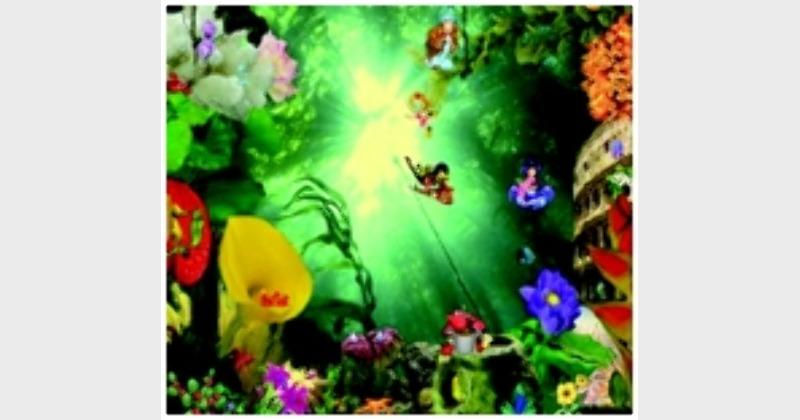
GIF images, the short animated images that we often come across on the Internet, can be pretty funny. If you have been enchanted by GIF images and have always wanted to create one, here is your chance to do so. With GiftedMotion, you can create a vibrant GIF image in no time and upload it on social networking sites, blogs and forums.

Archive ManagerArchive Manager
Oct 15, 2012, 02:43 pm IST
in Bharat
Follow on Google News
FacebookTwitterWhatsAppTelegramEmail

Anoop Verma

$img_titleGIF images, the short animated images that we often come across on the Internet, can be pretty funny. If you have been enchanted by GIF images and have always wanted to create one, here is your chance to do so. With GiftedMotion, you can create a vibrant GIF image in no time and upload it on social networking sites, blogs and forums.
Basically GiftedMotion is a free programme that can be downloaded by pointing your browser at this link: http://www.onyxbits.de/giftedmotion. The download link for GiftedMotion is located at the bottom of the page. You can either download the programme, or start GiftedMotion directly from the website whenever you need to create a new GIF file.
The main advantages of GiftedMotion include the following:
? The programme is platform independent; it runs on Windows, Mac and Linux.
? There is multi language support.
? As the programme is under GPL, there are zero licensing costs.
? It is very easy to use.
? No installation required. Just put the jar file on your Desktop and start it. GiftedMotion will not bury itself into your operation system. Since GiftedMotion is small in size, you can even bookmark this page and come back and start it from here, whenever needed.
? Supports the following input formats: PNG, JPG / JPEG, BMP and GIF.
? Easy to adjust position of images within frames and size of the resulting image.
? The programme comes with a versatile preview function.
? There is ability to edit existing images.
How does it work?
When you open the file, you will be presented with a blank screen, where you can click on the Load Files Button. Through this button you can choose the images that you wish to animate. The programme supports all the popular image formats like— PNG, JPG, BMP, and GIF. You are allowed to select multiple images at once. The images get loaded into the main programme window.
The main programme window also serves as a preview screen for you to see all the images in the animated GIF in the left hand pane. At the bottom of the window there is the row of buttons for editing. A pair of green arrows, for up and down, allow you to change the sequence of the images in the animated GIF. The third icon will make a copy of a frame and the last button will remove a frame.
In order to start editing the frame setting, you have to select an image in the sequence editor. The frame settings can be edited by using the text boxes for Time(ms), Dispose, X Offset and Y Offset. The Time is in milliseconds and can be set to a different value for each image in the sequence.  You can specify the way you want the next frame to be painted in the animation. Press on the play button at the top, in order to preview the animation.
If you need to move an image around slightly to make the animation appear more smooth and seamless, you have to use the X and Y Offset. The entire animation can be resized by dragging the corners of the preview window. If you find everything in order, you can click on the Export Setting Buttons at the top.
A new Export Settings Window will open. Here you can specify things like transparency colour, the dithering quality, which is related to the smoothness of the animation, (the lower the dithering quality, the smother the animation), and the number of times you want the animation to repeat itself. If you choose ‘0’, the animation will repeat itself forever. But if you opt for ‘-1’ it will play only once, ‘1’ means that it will play twice, ‘2’ means it will play three times, and so on.
Once all the inputs are in and the animation is playing the way you would want it to in the preview panel, you can press the red record button. GiftedMotion is not only useful for creating a fresh animation, you can also use the system to load any other GIF file and edit it.


 

ShareTweetSendShareSend
✮ Subscribe Organiser YouTube Channel. ✮
✮ Join Organiser's WhatsApp channel for Nationalist views beyond the news. ✮
Previous News

Feudalisation of Indian politics

Next News

How to select the rightB-School?

Related News

Amid ongoing attack against Hindus and their faith, massive torchlight procession was held in protest by Hindus against the insult to Bhagwan Ram, in Dhaka

Bangladesh: Unprecedented assertion for dignity and security

ATS investigation into foreign funding of 4,000 Uttar Pradesh madrasas set to accelerate after HC order

Allahabad High Court clears way for ATS probe into foreign funding of 4,000 Uttar Pradesh madrasas

80 years of Organiser: Synonym to nationalistic views, survived emergency censor & shaping Bharat perspective

The Semiconductor State: Uttar Pradesh's Next Industrial Leap

96 lakh MSMEs, one semiconductor push: Uttar Pradesh bets big on Aatmanirbhar Bharat

Tamil Nadu: Governor Arlekar urges youth to preserve Netaji’s legacy through in-depth study of INA history

Raja Raghuvanshi Murder Case: Supreme Court refuses to stay bail granted to Sonam Raghuvanshi

Load More

Latest News

Amid ongoing attack against Hindus and their faith, massive torchlight procession was held in protest by Hindus against the insult to Bhagwan Ram, in Dhaka

Bangladesh: Unprecedented assertion for dignity and security

ATS investigation into foreign funding of 4,000 Uttar Pradesh madrasas set to accelerate after HC order

Allahabad High Court clears way for ATS probe into foreign funding of 4,000 Uttar Pradesh madrasas

80 years of Organiser: Synonym to nationalistic views, survived emergency censor & shaping Bharat perspective

The Semiconductor State: Uttar Pradesh's Next Industrial Leap

96 lakh MSMEs, one semiconductor push: Uttar Pradesh bets big on Aatmanirbhar Bharat

Tamil Nadu: Governor Arlekar urges youth to preserve Netaji’s legacy through in-depth study of INA history

Raja Raghuvanshi Murder Case: Supreme Court refuses to stay bail granted to Sonam Raghuvanshi

The Madras HC dismisses DMK leader Ponmudi plea in hate speech case

Tamil Nadu: Madras HC refuses to hear Ponmudi’s plea over disparaging remarks on saivite, vaishnavite religious symbols

Tamil Nadu: Nilgiris’ Swayambhu Mahalingeswarar temple preserves centuries-old Badaga traditions

Japan's Prime Minister Sanae Takaichi and Prime Minister Narendra Modi (Photo: X@PressSec_JP)

‘Namaste’ reflects respect and trust: Japan highlights Indian greeting after Modi-Takaichi meeting

Amarnath Yatra Begins: PM Modi appeals devotees to adopt 5 sankalp; HM Amit Shah outlines extensive security measures

Load More
  • Privacy
  • Terms
  • Cookie Policy
  • Refund and Cancellation
  • Delivery and Shipping

© Bharat Prakashan (Delhi) Limited.
Tech-enabled by Ananthapuri Technologies

  • Home
  • Search Organiser
  • Bharat
    • Assam
    • Bihar
    • Chhattisgarh
    • Jharkhand
    • Maharashtra
    • View All States
  • World
    • Asia
    • Africa
    • North America
    • South America
    • Europe
    • Australia
  • Editorial
  • Operation Sindoor
  • Opinion
  • Analysis
  • Defence
  • Culture
  • Sports
  • Business
  • RSS @ 100
  • Entertainment
  • More ..
    • Sci & Tech
    • Vocal4Local
    • Special Report
    • Education
    • Employment
    • Books
    • Interviews
    • Travel
    • Health
    • Politics
    • Law
    • Economy
    • Obituary
  • Subscribe Magazine
  • Read Ecopy
  • Advertise
  • Circulation
  • Careers
  • About Us
  • Contact Us
  • Policies & Terms
    • Privacy Policy
    • Cookie Policy
    • Refund and Cancellation
    • Terms of Use

© Bharat Prakashan (Delhi) Limited.
Tech-enabled by Ananthapuri Technologies