




Should you go for Windows 8?
July 30, 2026
  • Read Ecopy
  • Circulation
  • Advertise
  • Careers
  • About Us
  • Contact Us
Android AppiPhone AppArattai
Organiser
  • ‌
  • Bharat
    • Assam
    • Bihar
    • Chhattisgarh
    • Jharkhand
    • Maharashtra
    • View All States
  • World
    • Asia
    • Europe
    • North America
    • South America
    • Africa
    • Australia
  • Editorial
  • International
  • Opinion
  • RSS @ 100
  • More
    • Op Sindoor
    • Analysis
    • Sports
    • Defence
    • Politics
    • Business
    • Economy
    • Culture
    • Special Report
    • Sci & Tech
    • Entertainment
    • G20
    • Azadi Ka Amrit Mahotsav
    • Vocal4Local
    • Web Stories
    • Education
    • Employment
    • Books
    • Interviews
    • Travel
    • Law
    • Health
    • Obituary
  • Subscribe
    • Subscribe Print Edition
    • Subscribe Ecopy
    • Read Ecopy
  • ‌
  • Bharat
    • Assam
    • Bihar
    • Chhattisgarh
    • Jharkhand
    • Maharashtra
    • View All States
  • World
    • Asia
    • Europe
    • North America
    • South America
    • Africa
    • Australia
  • Editorial
  • International
  • Opinion
  • RSS @ 100
  • More
    • Op Sindoor
    • Analysis
    • Sports
    • Defence
    • Politics
    • Business
    • Economy
    • Culture
    • Special Report
    • Sci & Tech
    • Entertainment
    • G20
    • Azadi Ka Amrit Mahotsav
    • Vocal4Local
    • Web Stories
    • Education
    • Employment
    • Books
    • Interviews
    • Travel
    • Law
    • Health
    • Obituary
  • Subscribe
    • Subscribe Print Edition
    • Subscribe Ecopy
    • Read Ecopy
Organiser
  • Home
  • Bharat
  • World
  • Operation Sindoor
  • Editorial
  • Analysis
  • Opinion
  • Culture
  • Defence
  • International Edition
  • RSS @ 100
  • Magazine
  • Read Ecopy
Home Bharat

Should you go for Windows 8?

Windows 8 is perhaps the most divisive operating system launched by Microsoft. The main issue with Windows 8 is the User Interface (UI).

Archive ManagerArchive Manager
Sep 10, 2013, 06:16 pm IST
in Bharat
Follow on Google News
FacebookTwitterWhatsAppTelegramEmail

Anoop Verma

undefinedWindows 8 is perhaps the most divisive operating system launched by Microsoft. The main issue with Windows 8 is the User Interface (UI). Why does Microsoft have to make such drastic changes in its user interface – many users are asking this question?

 But there are others who have already fallen in love with the new UI. If you don’t like the new interface, you always have the option of installing a third-party utility that restores the Start Button and lets you boot to the Desktop. However, if you do that, then you risk being trapped in the Windows 7 era, when rest of the computing world is moving ahead towards Windows 8 and beyond.

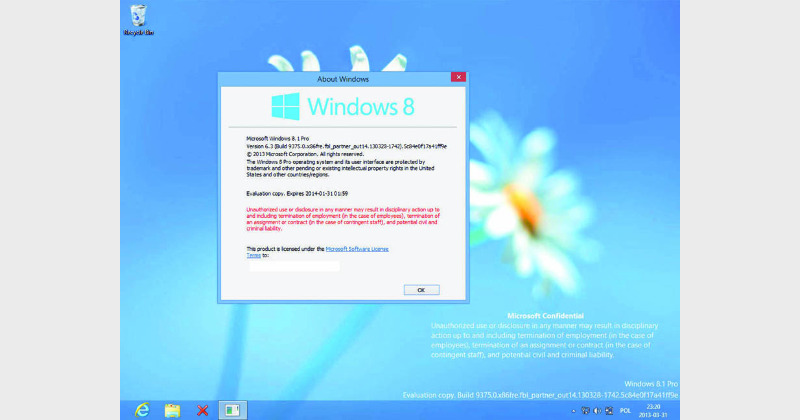
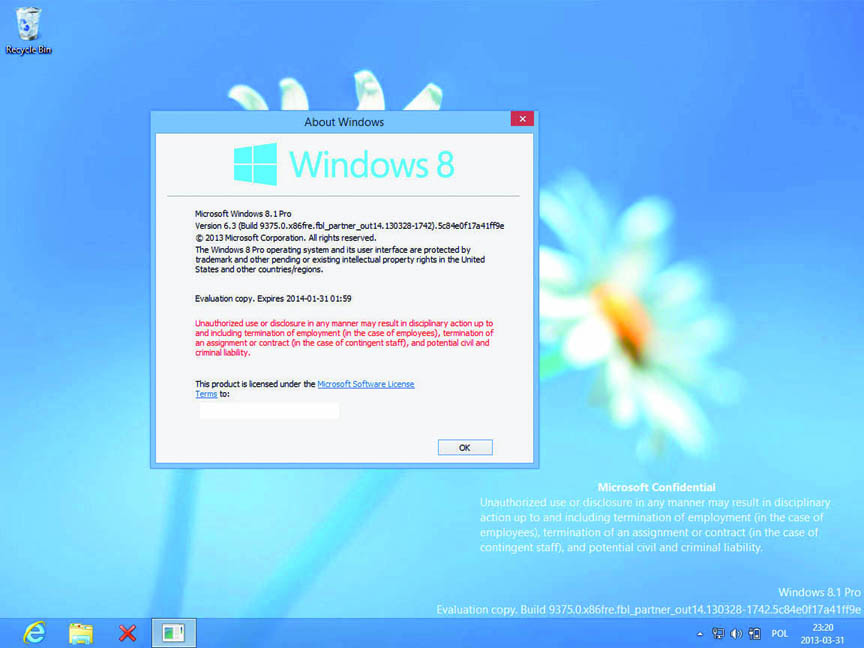
If you can get over the fact that the UI in Windows 8 is vastly different, you will start enjoying the tech advantages that the OS provides. Windows 8 improves tools like Task Manager and File Transfer Dialogs. The new included Internet Explorer browser can hold its own against competitors such as Chrome and Firefox in both speed and support for new Web standards like HTML5. However, if you want to stick to Firefox and Chrome, it is possible for you to download these and millions of other programmes. Now Microsoft has released its Windows 8.1, which incorporates several improvements over the earlier version. Here is a look at the three main ways of becoming used to Windows 8.1:

Use new OS, with old UI advantage

The 8.1 upgrade from Microsoft is an answer to one of the biggest complaints against Windows 8. It gives you an option to stop having to deal with the modern style Start screen when logging in, and the lack of a Start button. In any case the modern Windows 8 UI makes no sense for traditional PC or laptop users that are without touch screen capabilities. So with the 8.1 upgrade, you can resort to having the Start button, boot to desktop. This is not the default option, but it is easy to configure. On the desktop, right-click the taskbar and select Properties to open ‘command central’ for tweaking Windows to get it just the way you want it.

Add multiple accounts

These days many users prefer to store their files in the cloud. Every user needs to sign into the device with his or her own Microsoft account to access Microsoft’s cloud storage, email, and so on. To add multiple accounts: From the Start screen swipe the right side of the screen. Tap Settings, tap Change PC settings, and tap Accounts. Choose Other Accounts. You can create a new Microsoft account from this screen using any email you have, even Gmail.  Also, with Windows 8.1 you don’t need to install a separate desktop version of SkyDrive. It is integrated into the UI and the desktop and also with the new search feature. You can also save your files in SkyDrive with offline access features.

Customise the Start Button

So Microsoft has given you back the coveted Start Button, but it is not quite the one that you have been using in earlier versions of Windows. This Start Button in Windows 8.1 will not take you to the Start Menu, instead it will by default take you to the Start screen from any other screen. But you can change the Start button’s behavior so it lands you in the Modern UI’s Apps screen, which is a closer analogue to the pre-Windows 8 Start menu. For making this switch, you need to go to desktop, right-click on the Taskbar, and select Properties from the popup menu. Select the Navigation tab in the ‘Taskbar and Navigation properties’ window. In the ‘Start screen’ section, check the option to ‘Show the Apps view automatically when I go to Start.’ Click OK.


ShareTweetSendShareSend
✮ Subscribe Organiser YouTube Channel. ✮
✮ Join Organiser's WhatsApp channel for Nationalist views beyond the news. ✮
Previous News

Stop thinking and start doing

Next News

A crusade to uproot the flesh trade

Related News

Mohammed Hassan- Arrested Bangladeshi by Keralam ATS

Keralam: ATS arrests another Bangladeshi in Kozhikode amid statewide crackdown on infiltrators

Saurav Das, Abhijeet Dipke, Ashutosh Ranka: AAP’s shadow warriors target India’s judiciary through CJP

UAE’s Silent Visa Ban on Pakistan: Blow to exports & remittances; Reflects Islamabad’s fading credibility in West Asia

Former PM late Dr Manmohan Singh, exonerated on merits by the Supreme Court in the Coal block Allocation Case

Coal Block Allocation Case: Cleared on merits, not demise; SC demolishes social media myths over late Dr Manmohan Singh

ED searched 25+ locations in Dhanbad in a coal trade money-laundering probe

ED Raids 25+ locations in Dhanbad: Rs 1.5 crore cash seized in coal trade probe, uncovers Rs 150 crore asset trail

(Left) Khadoor Sahib MP Amritpal Singh (Right) Akali Dal-Waris Punjab De clashed with the police during protest march seeking the release of Amritpal

Punjab: Waris Punjab De activists clash with police at protest march for Amritpal Singh’s release

Load More

Latest News

Mohammed Hassan- Arrested Bangladeshi by Keralam ATS

Keralam: ATS arrests another Bangladeshi in Kozhikode amid statewide crackdown on infiltrators

Saurav Das, Abhijeet Dipke, Ashutosh Ranka: AAP’s shadow warriors target India’s judiciary through CJP

UAE’s Silent Visa Ban on Pakistan: Blow to exports & remittances; Reflects Islamabad’s fading credibility in West Asia

Former PM late Dr Manmohan Singh, exonerated on merits by the Supreme Court in the Coal block Allocation Case

Coal Block Allocation Case: Cleared on merits, not demise; SC demolishes social media myths over late Dr Manmohan Singh

ED searched 25+ locations in Dhanbad in a coal trade money-laundering probe

ED Raids 25+ locations in Dhanbad: Rs 1.5 crore cash seized in coal trade probe, uncovers Rs 150 crore asset trail

(Left) Khadoor Sahib MP Amritpal Singh (Right) Akali Dal-Waris Punjab De clashed with the police during protest march seeking the release of Amritpal

Punjab: Waris Punjab De activists clash with police at protest march for Amritpal Singh’s release

PoJK Polls rigged and marred by violence

PoJK Polls: Imran Khan’s PTI terms elections as fraud, wants their cancellation; Bilawal accuses PML-N of rigging

Karnataka High Court upheld the quashing of land acquisition for the Bengaluru-Mysuru Infrastructure Corridor (BMIC) project

Karnataka High Court calls BMIC project ‘One of State’s biggest scams’, seeks independent probe

Students in Ranchi protested against irregularities and lack of transparency in JPSC and JSSC recruitment examinations

Ranchi Protest: “Entire recruitment process marred by malpractice” as students protest against JPSC, JSSC exams

Uttar Pradesh CM Yogi Adityanath announced the renaming of Bhadohi to Sant Ravidas Nagar

UP: Bhadohi renamed to Sant Ravidas Nagar; CM Yogi unveils projects to give development boost to Etawah & Mainpuri

Load More
  • Privacy
  • Terms
  • Cookie Policy
  • Refund and Cancellation
  • Delivery and Shipping

© Bharat Prakashan (Delhi) Limited.
Tech-enabled by Ananthapuri Technologies

  • Home
  • Search Organiser
  • Bharat
    • Assam
    • Bihar
    • Chhattisgarh
    • Jharkhand
    • Maharashtra
    • View All States
  • World
    • Asia
    • Africa
    • North America
    • South America
    • Europe
    • Australia
  • Editorial
  • Operation Sindoor
  • Opinion
  • Analysis
  • Defence
  • Culture
  • Sports
  • Business
  • RSS @ 100
  • Entertainment
  • More ..
    • Sci & Tech
    • Vocal4Local
    • Special Report
    • Education
    • Employment
    • Books
    • Interviews
    • Travel
    • Health
    • Politics
    • Law
    • Economy
    • Obituary
  • Subscribe Magazine
  • Read Ecopy
  • Advertise
  • Circulation
  • Careers
  • About Us
  • Contact Us
  • Policies & Terms
    • Privacy Policy
    • Cookie Policy
    • Refund and Cancellation
    • Terms of Use

© Bharat Prakashan (Delhi) Limited.
Tech-enabled by Ananthapuri Technologies