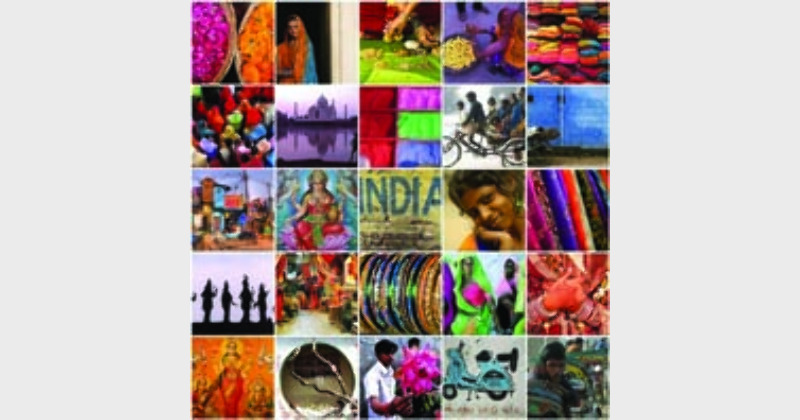
It is easy to create collages
June 9, 2026
  • Read Ecopy
  • Circulation
  • Advertise
  • Careers
  • About Us
  • Contact Us
Android AppiPhone AppArattai
Organiser
  • ‌
  • Bharat
    • Assam
    • Bihar
    • Chhattisgarh
    • Jharkhand
    • Maharashtra
    • View All States
  • World
    • Asia
    • Europe
    • North America
    • South America
    • Africa
    • Australia
  • Editorial
  • International
  • Opinion
  • RSS @ 100
  • More
    • Op Sindoor
    • Analysis
    • Sports
    • Defence
    • Politics
    • Business
    • Economy
    • Culture
    • Special Report
    • Sci & Tech
    • Entertainment
    • G20
    • Azadi Ka Amrit Mahotsav
    • Vocal4Local
    • Web Stories
    • Education
    • Employment
    • Books
    • Interviews
    • Travel
    • Law
    • Health
    • Obituary
  • Subscribe
    • Subscribe Print Edition
    • Subscribe Ecopy
    • Read Ecopy
  • ‌
  • Bharat
    • Assam
    • Bihar
    • Chhattisgarh
    • Jharkhand
    • Maharashtra
    • View All States
  • World
    • Asia
    • Europe
    • North America
    • South America
    • Africa
    • Australia
  • Editorial
  • International
  • Opinion
  • RSS @ 100
  • More
    • Op Sindoor
    • Analysis
    • Sports
    • Defence
    • Politics
    • Business
    • Economy
    • Culture
    • Special Report
    • Sci & Tech
    • Entertainment
    • G20
    • Azadi Ka Amrit Mahotsav
    • Vocal4Local
    • Web Stories
    • Education
    • Employment
    • Books
    • Interviews
    • Travel
    • Law
    • Health
    • Obituary
  • Subscribe
    • Subscribe Print Edition
    • Subscribe Ecopy
    • Read Ecopy
Organiser
  • Home
  • Bharat
  • World
  • Operation Sindoor
  • Editorial
  • Analysis
  • Opinion
  • Culture
  • Defence
  • International Edition
  • RSS @ 100
  • Magazine
  • Read Ecopy
Home General

It is easy to create collages

Archive ManagerArchive Manager
Jan 8, 2012, 12:00 am IST
in General
Follow on Google News
FacebookTwitterWhatsAppTelegramEmail

TECH VIEW

By Anoop Verma

You don’t need to be a wizard with computers and software to create collages. All it takes is a few clicks of mouse to come up with collages in every imaginable shape and with any number of pictures. With a little bit of instructions anyone can churn out collages with Picasa, the user-friendly software from Google. As Picasa is a very efficient photo-editing tool, it can also be used to enhance the beauty of your pictures. Here is the list of steps for making collages with Picasa:

1.    Point your browser at: http://picasa.google.com. Currently Picasa 3.8 is available for download. Click on the blue download button in the screen. In case, you already have Picasa in your system, you can skip this step.

2.    Once it is installed in your computer, Picasa will automatically import and categorise the pictures that you have. When you start the application, you will find File, Edit, View, Folder, Picture, Create, Tools and Help menu items listed on the top.

3.    At the bottom of the Picasa screen there is the “Collage” button, click on it to open the “Make a Collage” window. It is also possible for you to create a collage of pictures in a folder or album by clicking the Create Photo Collage button located in the folder or album header.

4.    Picassa 3.8 offers six types of collages  – Picture pile, Mosaic, Frame mosaic, Grid, Contact sheet, and Multiple exposure. Anyone of these collage types can be chosen through the dropdown list in the Settings tab, which lies at the left side of the screen.

5.    Along with Collage types, the Settings tab also offers a range of options that you can use to control the eventual shape of your collage. The options are self-descriptive. For instance, we have Grid, Background, Page format, Orientation, etc.

6.    During the creation of the collage, if you want to add more pictures, you can use the Clips tab. The folder of the pictures that you have been working with are already available under the Clips tab. Just select the picture of your choice and click on the “+” button to add them to the collage. If you want to remove the images, use the “X” button.

7.    After the work has been created to your liking, you can click on the Create Collage button, to save the new picture. Alternatively, you can also use the Desktop Background button to create the collage and set it automatically as your computer desktop image.

If you would rather avoid downloading new software into your computer, you can still create a collage through a website like Photovisi (http://www.photovisi.com). In fact, there are quite a few websites on the Internet that can be used for making collages, but Photovisi happens to be one of the most popular. Primarily because it is easy to use and it has a large variety of templates. It is also free.

On the Phtovisi home page there is a button saying: Click here to start. In the new page that opens there are nine sample collages listed in an orderly format. There is also a vertical column on the left side of the page where different categories of templates are listed. For instance, if your collage is about wedding pictures, then you can click on the “wedding button.” If you are making holiday, fun or abstract collage then click on their respective buttons. A total of 15 buttons are listed.

After this you can go through an easy step-by-step process to create the collage of your choice. Once the collage is ready, you can save it in your PC or even upload it directly to Facebook.


ShareTweetSendShareSend
✮ Subscribe Organiser YouTube Channel. ✮
✮ Join Organiser's WhatsApp channel for Nationalist views beyond the news. ✮
Previous News

Next News

Stone cot used by Vivekananda  donated  to  BVK

Related News

Banda Singh Bahadur

Banda Singh Bahadur Martyrdom Day: Betrayal of Guru Gobind Singh Ji by Mughals and the rise of Madho Das

12 years of Modi Govt: Meaningful philosophy or manufactured phenomenon; Bharat’s tryst with democracy

Prime Minister Narendra Modi during an overseas visit, greeting members of the Indian diplomatic and community delegation upon arrival. (File Photo)

Trade, Defence and Diaspora: PM Modi eyes Indo-Pacific reset with three-nation tour

Accused Nida Khan reportedly admits taking victim for religious instruction, teaching Islamic rituals

Nashik TCS Corporate Jihad: ‘I taught her how to do namaz,’ says Nida Khan; victim pressured to observe 30 ramzan roza

Germany: Sri Ganesha temple opens in Berlin: Europe’s largest Hindu Mandir reflects India’s cultural & dharmic spirit

Rajasthn | RSS centenary journey embodies dedication to nation-building: Dr Ramesh Agrawal

Load More

Latest News

Banda Singh Bahadur

Banda Singh Bahadur Martyrdom Day: Betrayal of Guru Gobind Singh Ji by Mughals and the rise of Madho Das

12 years of Modi Govt: Meaningful philosophy or manufactured phenomenon; Bharat’s tryst with democracy

Prime Minister Narendra Modi during an overseas visit, greeting members of the Indian diplomatic and community delegation upon arrival. (File Photo)

Trade, Defence and Diaspora: PM Modi eyes Indo-Pacific reset with three-nation tour

Accused Nida Khan reportedly admits taking victim for religious instruction, teaching Islamic rituals

Nashik TCS Corporate Jihad: ‘I taught her how to do namaz,’ says Nida Khan; victim pressured to observe 30 ramzan roza

Germany: Sri Ganesha temple opens in Berlin: Europe’s largest Hindu Mandir reflects India’s cultural & dharmic spirit

Rajasthn | RSS centenary journey embodies dedication to nation-building: Dr Ramesh Agrawal

Decades of illegal infiltration from Bangladesh have driven profound demographic shifts in Assam, fundamentally altering its religious, linguistic, and political landscape

Unnatural demographic change: The termite threat

The Rs 200-crore MAHA Water Mission seeks to boost water security and democratise research funding in India

From Rigveda to Research Labs: How ANRF’s Rs 200 crore water mission is securing India’s future

(Right) Prakhar Shrivastava, Senior Consulting Editor and Anchor at Delhi Doordarshan Kendra at a Narada Jayanti programme in Guwahati (Left) Prakahar Srivastava addressing the gathering

Narada Jayanti by VSK Assam: “Half-truths more dangerous than lies,” says senior journalist Prakhar Shrivastava

Everest Survivor being taken to the hospital on a stretcher

Everest Survivor ICU Interview: BBC under fire for interviewing Sherpa without family’s consent

Load More
  • Privacy
  • Terms
  • Cookie Policy
  • Refund and Cancellation
  • Delivery and Shipping

© Bharat Prakashan (Delhi) Limited.
Tech-enabled by Ananthapuri Technologies

  • Home
  • Search Organiser
  • Bharat
    • Assam
    • Bihar
    • Chhattisgarh
    • Jharkhand
    • Maharashtra
    • View All States
  • World
    • Asia
    • Africa
    • North America
    • South America
    • Europe
    • Australia
  • Editorial
  • Operation Sindoor
  • Opinion
  • Analysis
  • Defence
  • Culture
  • Sports
  • Business
  • RSS @ 100
  • Entertainment
  • More ..
    • Sci & Tech
    • Vocal4Local
    • Special Report
    • Education
    • Employment
    • Books
    • Interviews
    • Travel
    • Health
    • Politics
    • Law
    • Economy
    • Obituary
  • Subscribe Magazine
  • Read Ecopy
  • Advertise
  • Circulation
  • Careers
  • About Us
  • Contact Us
  • Policies & Terms
    • Privacy Policy
    • Cookie Policy
    • Refund and Cancellation
    • Terms of Use

© Bharat Prakashan (Delhi) Limited.
Tech-enabled by Ananthapuri Technologies